


Stocks Signals - Stock Tracker
3.482.00 Reviews
App Specs
- Version
- 4.9
- Updated On
- License
- Free
- Downloads
- 100,000+
- Developer
- Stock Screener APP
- Categories
- Finance
- Platform
- Android
Screenshots
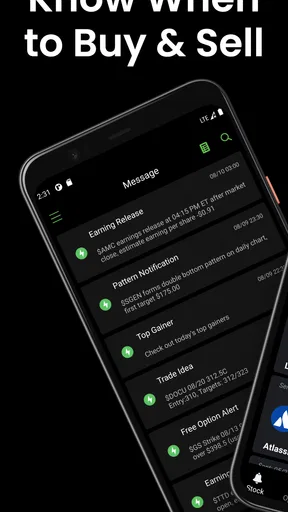
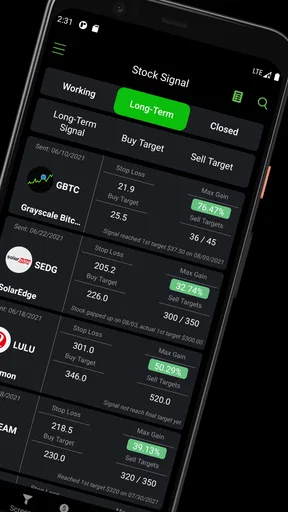
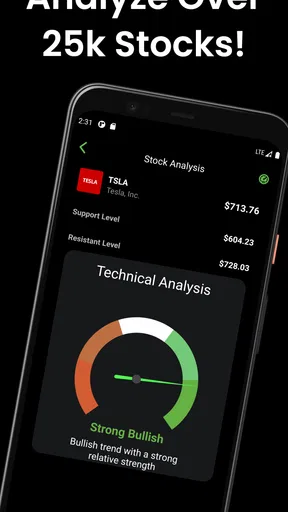
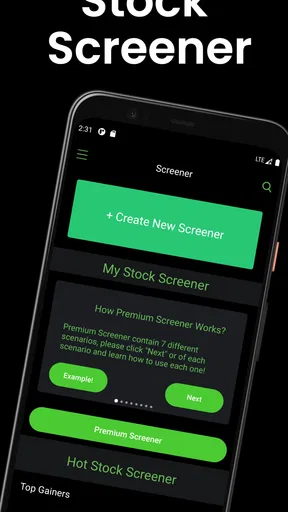
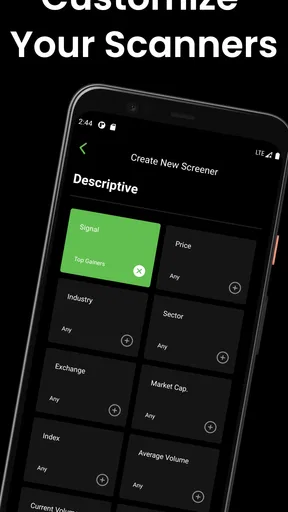
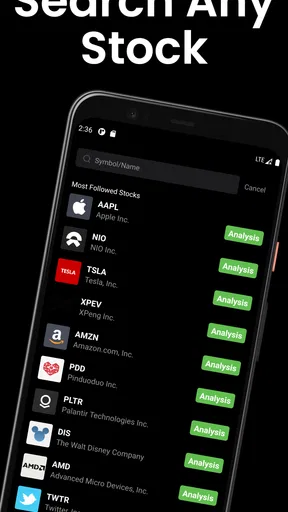
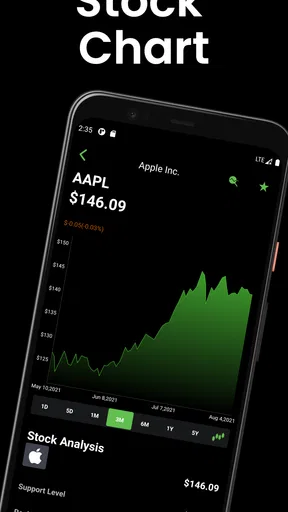
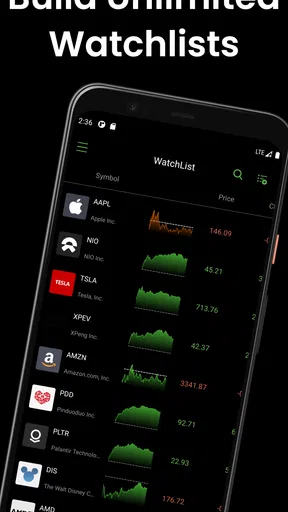
 Analysis by AppCompare
I approached Stocks Signals - Stock Tracker as a practical finance app rather than a replacement for a full brokerage account. Its purpose is to help me look for possible stock ideas through screening tools and algorithm-based trading signals, then decide what deserves a closer look. That makes it most useful during the research stage, before I place an order somewhere else.
The app is free to install, is suitable for Everyone, and comes from Stock Screener APP. It has passed the early trial stage as a product, with more than one hundred thousand installs, although its average score of 3.4 from roughly four hundred ratings suggests that the experience is useful for some people but not consistently smooth for everyone. I think that mixed response is important: this is an interesting companion for market research, but I would not treat it as an unquestionable source of investment decisions.
How it fits into a shared household routine
The most convincing use case for me is a shared-device situation where one person checks markets briefly and another person later reviews the same ideas. Imagine a household where one partner follows technology companies while the other prefers dividend-paying businesses. The first person can use the screener to narrow a broad market into a manageable watchlist, and the second can inspect those candidates before the household discusses whether any deserve further research.
That workflow is different from handing someone a finished recommendation. A signal can draw attention to a stock, but it does not automatically explain the company’s debt, competitive position, valuation, earnings quality, or suitability for a particular portfolio. I would use the app to create a starting point for a conversation, not to end one.
On a shared phone or tablet, I would also keep the app’s role clearly separate from the household’s actual investment account. The app is a research tool. Any purchase, sale, transfer, or account decision should happen through the relevant financial institution, with the account holder handling private credentials and final approval. That boundary prevents a quick signal check from being confused with permission to trade.
A useful everyday workflow
My preferred routine would begin with a broad question rather than a random search. For example, I might want to find companies showing a particular combination of price behavior and market characteristics. I would use the stock screener to reduce the list, inspect the resulting names, and then compare the most interesting candidates with company filings, reliable financial news, and the information supplied by my broker.
The non-obvious benefit of this approach is that it limits distraction. Instead of scrolling through a long market list and reacting to whichever ticker looks exciting, I can define a repeatable starting process. The trade-off is that every filter reflects a choice. A narrow screen may hide companies that fail one condition but would still be worth researching, while a loose screen may return too many names to handle carefully.
Worth Reading Before You Choose

EA SPORTS FC Mobile 26 Is a Bigger Football Game, but It Takes Time

Flipboard Shows What News Apps Must Do Beyond the Feed

Switching to Android Auto Means Rethinking Your Driving Routine

Google Calendar Makes a Crowded Week Easier to Manage

Ludo King Makes the Most of the Minutes Between Plans

Baby Panda World Brings Quick Play to Modern Phones, but Its Game Library Feels Busy
For a household, I would save a simple written rule outside the app: who created the list, what the filters were intended to find, and when the list should be reviewed again. That note matters because a signal seen on one day may not mean the same thing later. It also makes coordination easier when more than one person uses the same device without pretending that the app itself provides family portfolio management.
What setup should look like on a shared device
I would begin with a short private test rather than immediately building a large watchlist. The first session should answer basic practical questions: are the screens understandable, do the signals fit the kind of investing I follow, and can I move from a broad search to a focused shortlist without confusion? This small trial is more useful than assuming that a finance app will match my habits simply because its description sounds promising.
Account boundaries deserve attention. I would not enter brokerage passwords, payment details, or another person’s private financial information into a tool merely because it is installed on a household device. The app’s job is to help with stock discovery. Sensitive account actions belong in the official service designed for them, ideally under the individual account holder’s control.
There is another practical boundary: separate observation from action. If a family member opens the app and sees a signal, that should not be treated as an instruction to buy or sell. A clear household rule such as “signals start research; they never authorize a trade” removes a surprising amount of risk, especially when several people share notifications, devices, or casual market conversations.
The current version is 4.9 and it runs on Android 8.0 or later. That makes compatibility worth checking before installing it on an older household phone or tablet. A shared device may also be used for banking, messaging, and personal photos, so I would keep its screen lock and general privacy settings in good order even when the app itself is only being used for public market research.
Using the screener without overtrusting signals
The central appeal is the combination of stock screening and AI-powered trading signals. I see that as a two-layer process. Screening helps me define the universe of stocks I want to examine, while the signal layer may help prioritize attention within that universe. Those are useful jobs, but neither one replaces judgment.
A signal is especially easy to misunderstand when it appears precise. The visual confidence of an alert can make a short-term indication feel like a complete investment thesis. I would resist that feeling. Before acting on any result, I would ask what time horizon the signal seems to address, whether the stock is liquid enough for my needs, what event may have caused the movement, and whether the idea still makes sense after checking information outside the app.
One practical technique is to record the reason a stock entered the shortlist before researching it further. If the only explanation is “the app flagged it,” I have not yet done enough work. If I can describe the screen used, the signal’s role, and the independent evidence supporting or challenging the idea, I have a more disciplined basis for deciding whether to continue.
This is also where the app differs from a traditional brokerage application. A broker is built around holdings, orders, balances, and account administration. Stocks Signals - Stock Tracker is oriented toward finding and watching possible opportunities. Compared with a spreadsheet, it may offer a quicker way to narrow a market search, but a spreadsheet gives me more control over personal notes, assumptions, and long-term comparisons. Compared with a financial news service, the app appears more focused on screening and signals than on explaining the full story behind a company.
For that reason, I would combine it with the usual alternatives rather than choose it as the only tool. Use the app to generate candidates, a company’s own reports to understand the business, independent research to challenge the idea, and a broker to execute only after the decision is complete. That division of labor is more reliable than asking one lightweight tool to perform every part of investing.
Three habits that make the app more useful
First, I would run the same screening idea more than once instead of treating a single result as decisive. Repeating the process helps reveal whether my shortlist is stable or whether it changes dramatically with small adjustments. That teaches me something about the sensitivity of the screen, which is often more valuable than the first list it produces.
Second, I would compare signal-driven candidates with a deliberately chosen control group. If the app highlights several stocks, I might also research a few companies selected through my normal method. The goal is not to prove that one approach always wins; it is to notice whether the signals add useful candidates, duplicate what I already know, or pull me toward ideas that do not fit my strategy.
Third, I would use a cooling-off period for any idea that creates urgency. An alert can be helpful for discovery, but urgency is a poor reason to trade. Waiting long enough to verify the business, the valuation, and the intended holding period turns the app from a trigger into a research aid. This is particularly important when a shared device makes an alert visible to someone who did not perform the original analysis.
Where the experience may create friction
The average rating indicates that the app will not feel perfect to every user. I would expect the main challenge to be interpretation rather than installation: finance tools can look straightforward while still requiring careful understanding of filters, alerts, and market terminology. Beginners may need time to learn what each result means and what it does not mean.
There is also a cost boundary to keep in mind. The app is free to install, but in-app purchases range from around ten dollars to nearly three hundred and fifty dollars per item. I would not unlock anything until I understood exactly what the purchase adds and whether it improves a real part of my workflow. A paid feature is only worthwhile if it saves meaningful research time or provides information I can evaluate responsibly; it should not be purchased simply because a signal feels urgent.
That pricing structure makes the app easier to test but less suitable for someone who wants every useful capability to remain free. It also reinforces my advice for shared households: decide in advance who, if anyone, may approve an in-app purchase, and do not assume that a free download means the entire experience has no paid layer.
Age, trust, and responsible household use
The Everyone content rating describes the app’s store classification, not a recommendation that every age group should make independent investment decisions. A younger household member may be able to look at public stock information with an adult, but financial authority and real-money decisions should remain with the responsible account holder.
I would explain the app to a child or teenager as a way to ask questions about companies, not as a prediction machine. That distinction is valuable even for adults. “The signal changed” is an observation; “this stock will rise” is a claim that requires evidence and may still be wrong. Keeping those statements separate helps build healthier habits around uncertainty.
Trust also includes transparency between adults. If two people share research, they should know whether a list is exploratory, tied to an existing portfolio, or intended for possible future action. I would avoid presenting an automatically generated shortlist as a household consensus. The person who owns the account should make the final decision after reviewing the idea independently.
Another sensible practice is to avoid leaving personal notes or screenshots of sensitive financial plans on a device that everyone can open. The app may be used for public market information, but the surrounding conversation can reveal much more about a person’s finances. Keeping research visible while keeping account details private is a useful middle ground for shared-device use.
Who will appreciate it, and who should skip it
I think this app suits an investor who enjoys screening ideas, wants a faster starting point than manually scanning every ticker, and is comfortable verifying results elsewhere. It can also help a curious beginner learn how a structured search differs from simply following popular companies, provided that beginner treats the signals as prompts for study.
I would be more cautious recommending it to someone who wants personalized financial planning, detailed portfolio accounting, tax guidance, or a complete trading platform. It is also a poor fit for anyone looking for guaranteed calls or a shortcut around understanding risk. A person who already has a carefully built research system may find the app useful as a second opinion, but may not need to replace a spreadsheet, broker research center, or professional service with it.
Investors with a long-term, fundamentals-first approach can still use the screener, but they should adjust expectations. A short-term signal may not align with a strategy based on years of business performance. In that case, the best use may be discovering companies for deeper reading rather than reacting to every alert.
My household verdict
After looking at its role in a real shared-device routine, I see Stocks Signals - Stock Tracker as a convenient discovery layer for stock research. Its combination of screening and AI-assisted signals can help me move from an enormous market to a more manageable set of questions. That is a genuine benefit when I use it deliberately and verify what I find.
Its limitations are just as important. The mixed user score suggests that the experience may not satisfy everyone, paid items can become expensive, and signals are easy to overinterpret. The app does not remove the need to understand a company, assess risk, or protect account boundaries. In a household, those responsibilities become even more important because visibility on a shared device can be mistaken for shared authorization.
My recommendation is to install it as a research companion, begin with a small screening experiment, and keep every possible trade outside the app until the idea has survived independent checking. I would happily show it to a friend who wants help organizing stock research, but I would not present it as a financial adviser or a substitute for a broker. The best result comes when the app narrows attention without taking judgment away from the person making the decision.
For a careful user, that is enough to make the free starting point worthwhile. For someone seeking certainty, automatic portfolio management, or a complete investment account, a different category of tool will be a better choice. The app earns its place when it helps a household ask better questions, respect account boundaries, and research candidates with more discipline than impulse.
Pros
- Clear buy and sell signals help users spot potential market opportunities.
- Watchlists make it easy to monitor selected stocks in one place.
- Price alerts can help users react quickly to important market movements.
- The interface is simple enough for beginners to navigate comfortably.
- Useful market data is available without requiring advanced trading knowledge.
Cons
- Signals are not guaranteed and may lead to losses if followed blindly.
- Some features or data may require a premium subscription.
- Real-time quotes may vary depending on the selected market or plan.
- Limited research tools may not replace a full brokerage platform.
- Frequent alerts can become distracting during volatile trading sessions.
FAQs for Stocks Signals - Stock Tracker
What is Stocks Signals - Stock Tracker, and who is it designed for?
Stocks Signals - Stock Tracker is a mobile finance app designed to help users follow market prices, review stock information, and monitor potential trading opportunities from their phones. It may be useful for beginners who want a simple overview as well as more experienced investors who need quick access to watchlists, price movements, and signal-style market information. It should be treated as a research tool, not a replacement for professional financial advice.
How reliable are the stock signals and market information in the app?
The signals and market data can be helpful for identifying trends or drawing attention to possible opportunities, but they should not be considered guaranteed predictions. Stock prices can change quickly, and data may be delayed depending on the market, exchange, subscription level, or technical conditions. Before making a trade, users should confirm prices and company information through a trusted brokerage or official financial source.
Can I buy and sell stocks directly through Stocks Signals - Stock Tracker?
Stocks Signals - Stock Tracker is primarily intended for tracking markets, viewing stock-related information, and receiving analytical or signal-based updates. It is not necessarily a full brokerage platform, so users should not assume that placing orders is supported. If the app provides links or integrations with other services, trades may still need to be completed through a separate regulated broker account. Always check the current app description and available features.
Does the app require a subscription or include in-app purchases?
Some features in stock-tracking applications may be available for free, while advanced signals, alerts, detailed analysis, ad removal, or expanded watchlists can require a subscription or in-app purchase. Pricing and trial conditions may vary between Android and iOS and can change over time. Before confirming payment, review the subscription period, renewal terms, cancellation process, and exactly which tools are included in the selected plan.
Is Stocks Signals - Stock Tracker suitable for beginners, and what should new users know?
Beginners can use the app as a convenient way to learn about watchlists, price changes, market trends, and basic stock monitoring. However, new investors should understand that signals are not guarantees and that investing always involves the possibility of losing money. It is wise to start by researching companies, learning basic financial concepts, using a practice portfolio when available, and never investing money that cannot comfortably be lost.


